# FlowNet
**Video Stabilization using Deep Distilled Global Motion Estimates**
[English](README.md) · [Español](README.es.md) · [🌐 Project Page](https://dan178a.github.io/FlowNet_Video_Stabilization/)




---
FlowNet stabilizes shaky handheld video by estimating **global camera motion** with a deep, distilled optical-flow network, converting that flow into an **affine camera path**, smoothing it with a quadratic-programming path optimizer, and finally refining the result with a **multi-scale photometric** alignment pass.
## ✨ Results
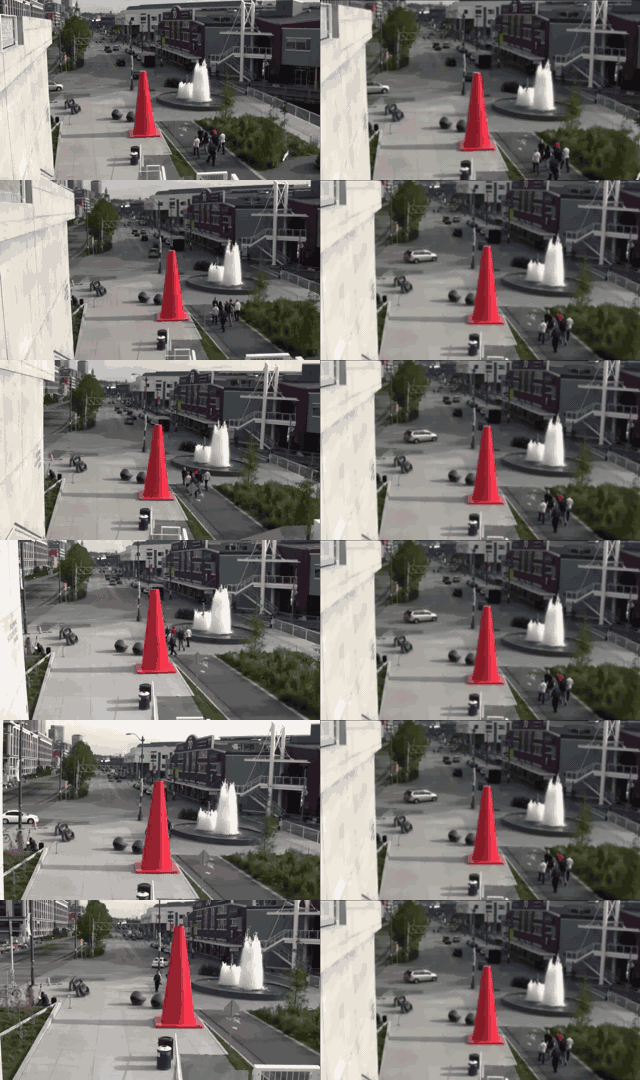
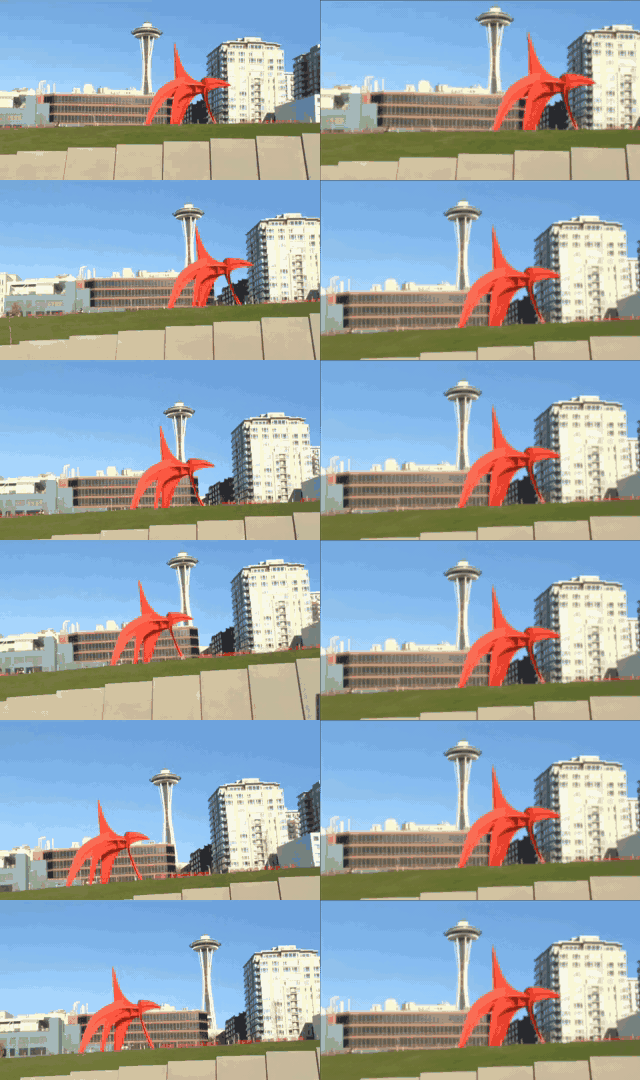
**Input (shaky) vs. Output (stabilized)** — left: original, right: stabilized.
| Handheld phone clip | Synthetic shake |
| :---: | :---: |
|  |  |
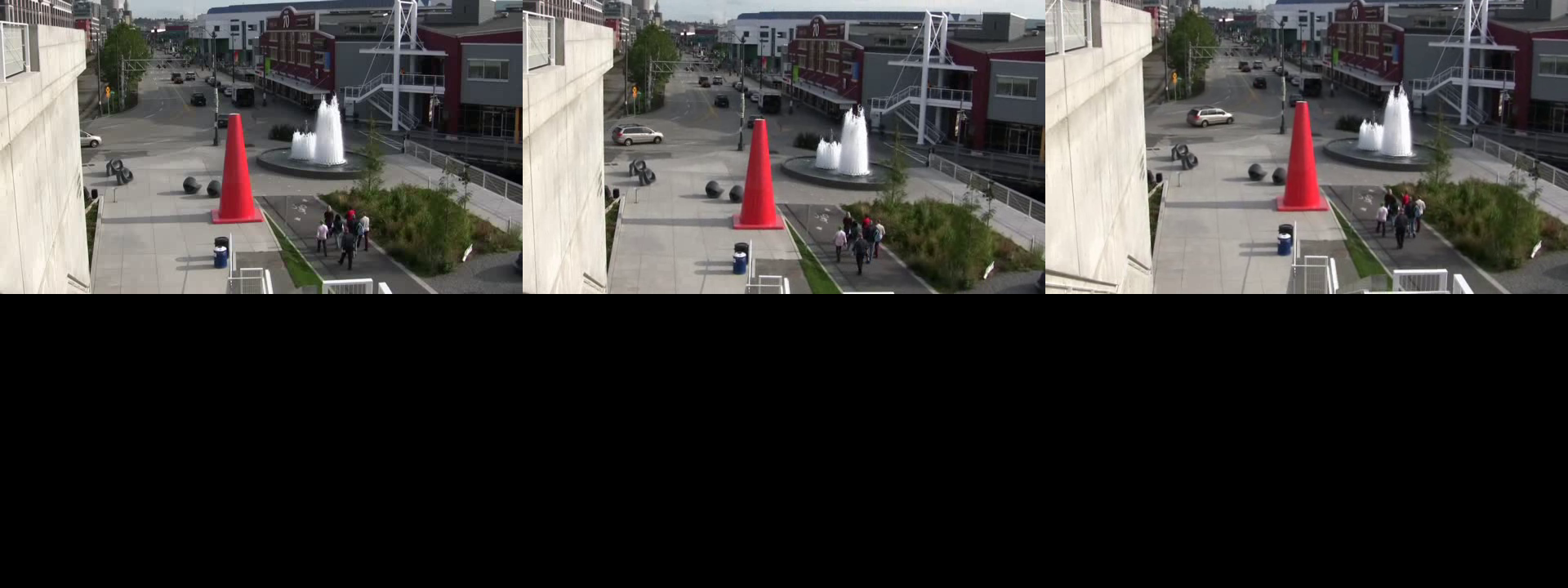
Stabilized frames from a longer sequence:
## 🧠 How it works
```
shaky frames ──► Global PWC-Net (distilled) ──► affine flow coefficients
│
cumulative camera path (affine)
│
QP path smoothing (crop-aware)
│
multi-scale photometric refinement
│
stabilized video
```
1. **Global motion estimation** — a distilled PWC-Net variant (`GLNoWarp4YTBB`) estimates dense optical flow between consecutive frames. The flow is compressed with a **DCT-based parameterization** (`Utils/DCTUtility.py`) so that global camera motion is captured by a handful of coefficients.
2. **Affine camera path** — per-frame affine coefficients (`Utils/AffineUtility.py`) are accumulated into a camera path and smoothed by a **QP optimizer** (`PathStabilizers/StdPathStabilizerQP.py`) that guarantees a minimum overlap (`--maxAffineCrop`) between the original and warped frames.
3. **Warping** — stabilized coefficients are inverted and applied with `grid_sample` in chunks, automatically tracking the valid (non-border) region.
4. **Photometric refinement** — a multi-scale photometric stabilizer (`Stabilizers/MSPhotometric.py`) fits low-order polynomial corrections over a sliding window (DCT low-pass, Gaussian weighting) to remove residual jitter that the affine path cannot model.
5. **Composition** — `Stabilizers/ComposedStabilizer.py` chains both passes: `GNetAffine` → `MSPhotometric`.
The pretrained flow model ships with the repo (`GlobalFlowNets/trainedModels/GFlowNet.pth`), so no training is required to stabilize your own videos.
## 🚀 Getting started
### Requirements
- Python 3.11
- CUDA-capable GPU (the model runs in `.cuda()` mode)
- CUDA 12.4 (or adapt the `torch` install line to your CUDA version)
### Installation
```bash
git clone https://github.com/Dan178A/FlowNet_Video_Stabilization.git
cd FlowNet_Video_Stabilization
python -m venv venv
venv\Scripts\activate # Windows (use source venv/bin/activate on Linux)
pip install -r requirements.txt
```
> If your CUDA version differs from 12.4, install PyTorch with the matching wheel from [pytorch.org](https://pytorch.org/get-started/locally/) first, then `pip install -r requirements.txt`.
### Stabilize a video
```bash
python stabilizeVideo.py --inpVideoPath inputs/sample.avi --outVideoPath outputs/stabilized.avi
```
Options:
| Flag | Default | Description |
| --- | --- | --- |
| `--inpVideoPath` | `inputs/VID_...mp4` | Path to the shaky input video |
| `--outVideoPath` | `outputs/VID_...mp4` | Where to write the stabilized video |
| `--maxAffineCrop` | `0.8` | Minimum frame overlap kept after cropping (lower = more aggressive stabilization, larger crop) |
The output is written at the input's frame rate.
## 📁 Project structure
```
FlowNet_Video_Stabilization/
├── stabilizeVideo.py # CLI entry point
├── GlobalFlowNets/ # Distilled global motion network
│ ├── GlobalPWCNets.py # model factory (getGlobalPWCModel)
│ ├── PWCBase.py / PWCNet.py # PWC-Net backbone
│ ├── FlowLosses.py # training losses
│ └── trainedModels/ # GFlowNet.pth + config.json
├── Stabilizers/ # Stabilization passes
│ ├── ComposedStabilizer.py # GNetAffine + MSPhotometric pipeline
│ ├── JoinedAdaptiveGNetStabilizer.py # flow → affine path → warp
│ └── MSPhotometric.py # multi-scale photometric refinement
├── PathStabilizers/
│ └── StdPathStabilizerQP.py # QP-based camera-path smoothing
├── Utils/ # DCT, affine, cropping, video I/O helpers
├── inputs/ outputs/ # demo videos
└── docs/ # project page (GitHub Pages) + media
```
## 📄 License
Released under the [Apache License 2.0](LICENSE).
